
Product Code: 41-100-322
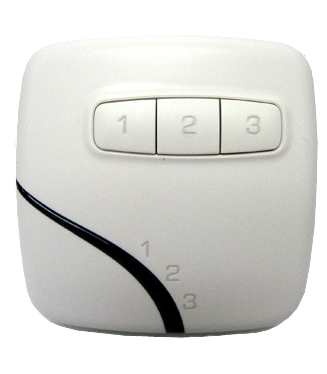
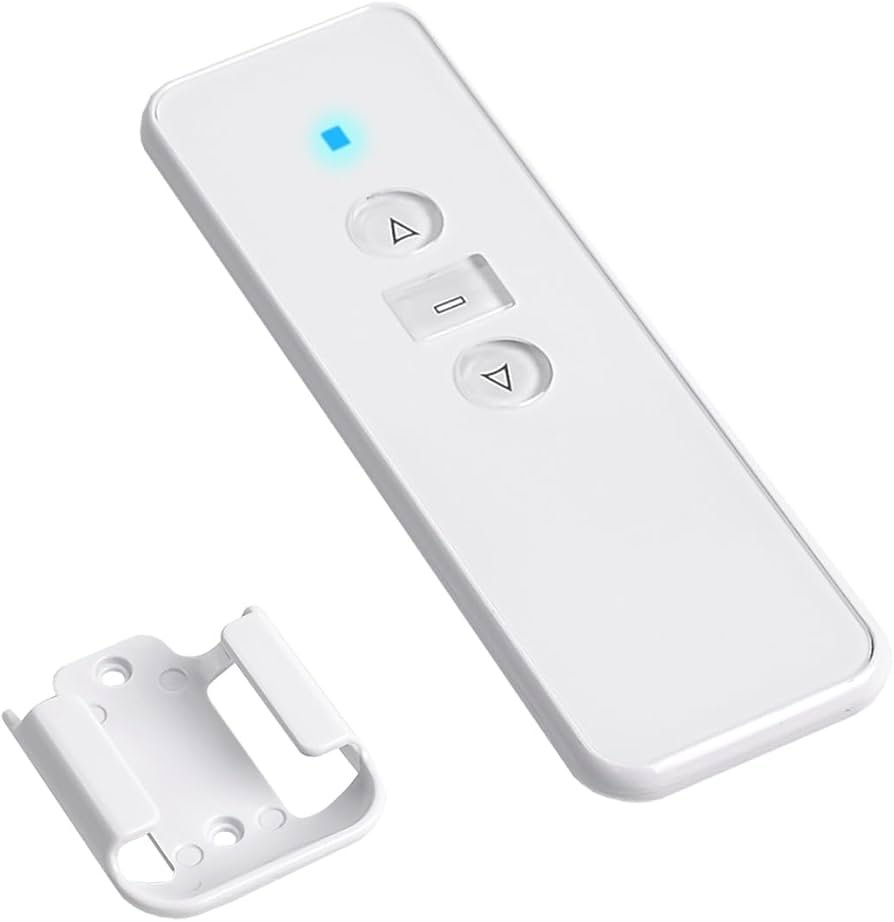
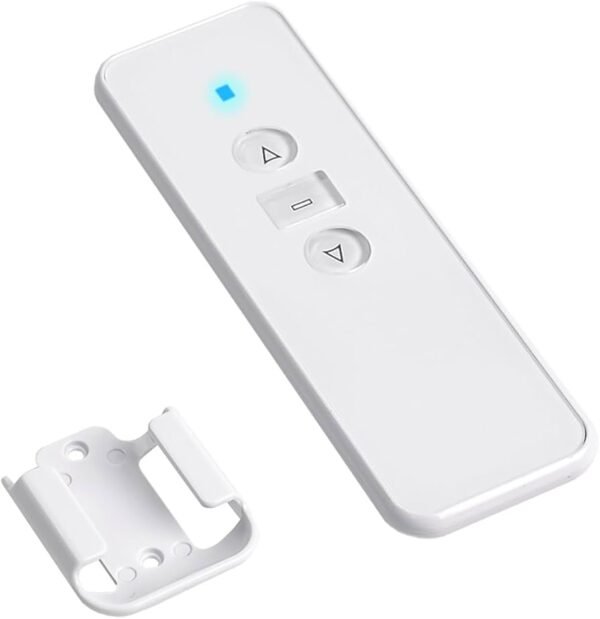
The AC123 is a series of radio frequency (RF) remote controls designed for motorized blinds, shades, curtains, and awnings using MAXIM Motors and AC226-01 Receivers.
Technical Specifications
- Model Series: AC123 (AC123-01, AC123-02, AC123-06, AC123-16)
- Channels: Available in 1, 2, 6, or 16-channel versions
- Radio Frequency: 433.92 MHz (standard) or 868 MHz
- Operating Temperature: -20 to 50 Degrees Celsius
- Battery Type: 3V CR2032 (most models) or CR2430
- Battery Life: Estimated 2–3 years
- Range: Approximately 70–100 feet (21–30 meters) indoors; up to 200 feet in optimal conditions
- RF Modulation: ASK/FSK
- Transmitting Power: <=10mW
- Dimensions: Approximately 5.02″ H x 1.65″ W x 0.5″ D (without wall mount)
🔧 AC123 Remote Programming & Setup Guide
⚠️ Important Before Programming
Only switch OFF power to the specific motor you want to program.
If your home has multiple roller shutter motors connected, do NOT switch the main power supply OFF and ON, as this will place all motors into programming mode at the same time.
✅ Always isolate and power cycle only the individual motor being programmed.
If your motor does not have a programming button on the motor head, follow the steps below to pair your AC123 remote control.
Step-by-Step Instructions
- Turn OFF power to the motor or AC226-01 Receiver for 5–10 seconds.
- Press and hold the UP (▲) button on the AC123 remote control.
- While continuing to hold the UP button, restore power to the motor or AC226-01 receiver.
- Keep holding the button until:
- the motor jogs, or
- the receiver emits a beep.
- Release the UP (▲) button.
- Press the UP (▲) button once again.
- The motor will jog or beep again to confirm successful programming.
📡 Adding an Additional Remote
If you already have a working remote:
- Using the existing working remote, press and hold the STOP ■ button until the motor jogs or beeps.
- On the new remote, press the UP ▲ button once.
- The motor will jog again confirming the new remote has been added successfully.
🔄 Changing Motor Direction
If the shutter moves in the wrong direction:
- Press and hold the STOP ■ button until the motor jogs or beeps.
- Press DOWN ▼ button.
- Direction is now reversed.
✅ Test the remote to confirm:
- UP opens the shutter
- DOWN closes the shutter
❌ Deleting a Programmed Remote
To remove a remote control from the motor memory:
- Press and hold the STOP ■ button on the remote until : the motor jogs, or the receiver emits a beep.
- Using a pin or paperclip, press the small reset button located inside the pinhole on the back of the remote.
- The remote has now been deleted successfully from the motor memory.
⚠️ Note:
- The remote being deleted must still be working before starting this process.
🛡️ AC123 Remote Control Warranty Information
All AC123 remote controls supplied by Oz Roller Shutters are covered by a 12 Month Warranty from the original date of purchase.
This warranty covers manufacturing defects and faults in materials or workmanship under normal residential use.
What Is Covered
The warranty includes:
- Internal electronic faults
- Manufacturing defects
- Button failure under normal use
- Remote communication faults caused by factory defects
If a remote is confirmed to be faulty during the warranty period, Oz Roller Shutters may repair or replace the remote at its discretion.
⚠️ What Is Not Covered
The warranty does NOT cover damage or faults caused by:
- Physical damage, impact, dropping, or crushing
- Water, moisture, rain, or liquid damage
- Battery leakage or incorrect battery installation
- Flat batteries or battery replacement
- General wear and tear
- Incorrect programming or accidental deletion of settings
- Damage caused by improper use or misuse
- Attempted repairs or modifications by others
- Electrical surges, power outages, or lightning damage
- Damage caused by incorrect installation
- Cosmetic marks, scratches, fading, or discolouration
- Loss of remotes
🔋 Battery Information
Remote batteries are considered consumable items and are not covered under warranty unless found faulty at the time of purchase.
Battery life varies depending on frequency of use and environmental conditions.
📋 Warranty Conditions
To claim warranty:
- Proof of purchase may be required.
- The remote must be returned for testing and inspection.
- Warranty applies only to the original purchaser and is non-transferable.
Oz Roller Shutters reserves the right to determine whether the fault is covered under warranty after inspection.
⚠️ Important Programming Notice
Incorrect programming procedures can erase existing motor settings or other programmed remotes.
Oz Roller Shutters is not responsible for:
- Loss of programmed settings
- Incorrect motor programming
- Accidental deletion of remotes
- Damage caused by following DIY programming instructions incorrectly
If you are unsure, professional service assistance is recommended.
📞 Need Assistance?
For technical support, warranty enquiries, replacement remotes, or programming assistance, please contact Oz Roller Shutters directly.
THE PRODUCTS WILL BE SHIPPED AFTER FULL PAYMENT HAS BEEN MADE.